Understanding the code
Find the relevant behavior and explain what needs to change.

Every change starts with questions. Where does this behavior live? What else will it affect? Bring Cursor into that work, from understanding the code to reviewing the change.






Start with changes your team already understands. Examine the work, the review, and the decisions around it.
Find the relevant behavior and explain what needs to change.

Explore an approach, put it into practice, and keep the engineer's judgment in the work.

Check the change and decide whether it belongs in the codebase.
A practical way to bring Cursor into the work. Keep the question, the change, and the review connected.

Ask Cursor to help you find the relevant code and explain how it behaves. Follow that explanation back to the source.
Give the change a clear starting point before implementation begins.
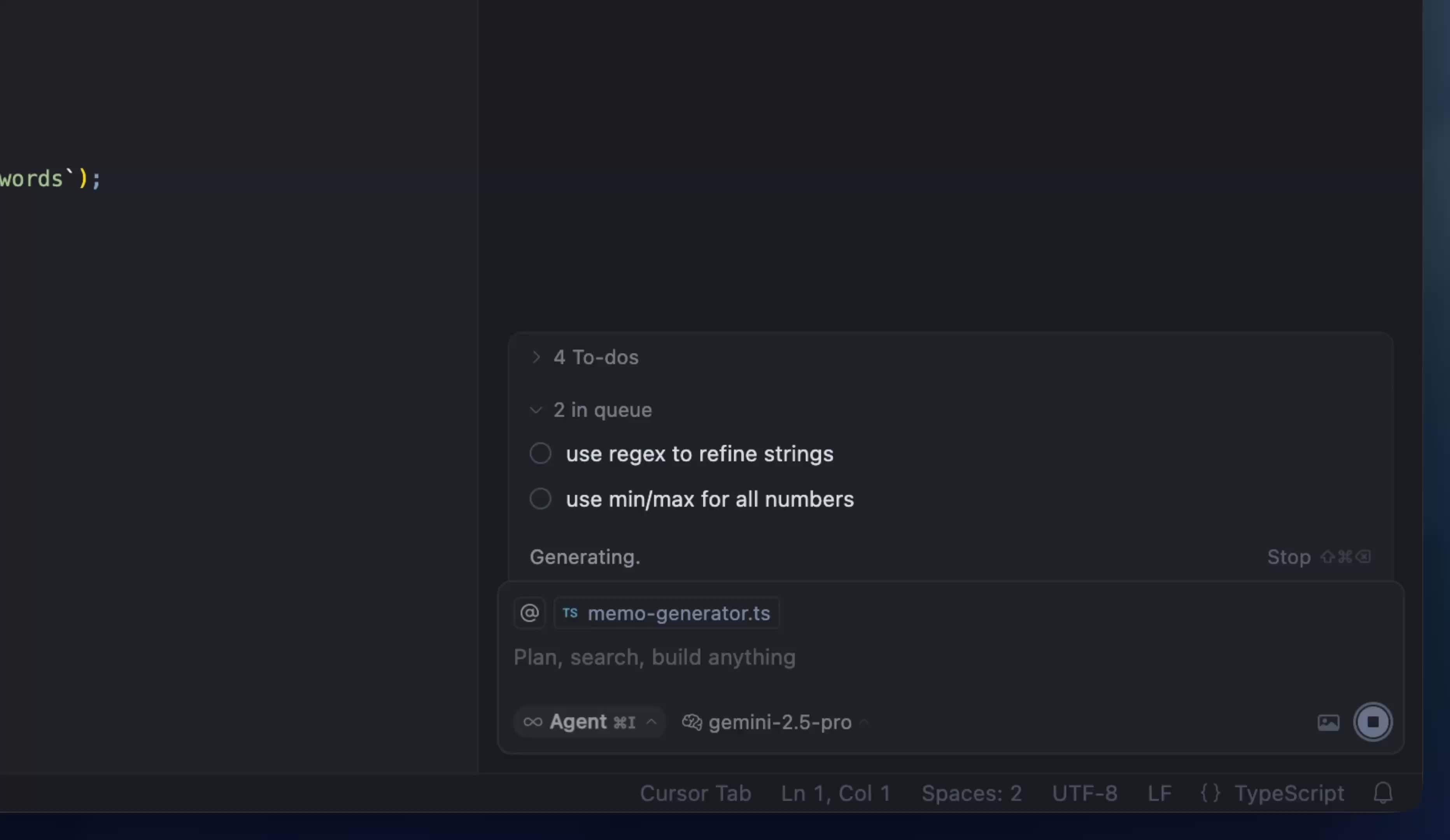
Explore Cursor AgentBring the task and its constraints into the conversation. Explore an approach, make changes, and keep the next question close to the work.
Official Cursor footage showing a follow-up request queued while the current task runs.
Read the change. Run the relevant checks. Explain what you accepted and why. A useful result should hold up when another engineer looks at it.
Evaluate with your team“Cursor quickly grew from hundreds to thousands of extremely enthusiastic Stripe employees.”

A team decision involves more than the editing experience. Bring your engineering, security, and purchasing questions into the conversation.
Read the security informationReview Cursor's current security and privacy information against your organization's requirements.
Decide who needs access and who will manage the rollout. Confirm the options that fit the way you work.
Discuss current plans, commercial terms, and the review your organization needs before a decision.
Choose real tasks. Agree on what you will examine. Make the next decision from work you can actually review.

Pick a change in familiar code and one that needs investigation. Give each a clear scope and a named reviewer.

Decide what matters before work begins. Include correctness, time spent, reviewer effort, and corrections along the way.

Review the finished work together. Discuss where Cursor helped and what you would change before trying it more widely.
Start with a small change your team can assess. Use familiar code as a point of comparison, then try a task that needs investigation. Keep the result small enough for a meaningful review.
Look at the finished work and the effort around it. Include correctness, time spent, reviewer effort, and any corrections needed before acceptance. Agree on those criteria before you begin.
Start with Cursor's current security information. Discuss your organization's data, access, and commercial requirements, and confirm available options directly with Cursor.
You will go to Cursor's official sales contact page to share your team's requirements. This campaign does not collect your details.
Explore where Cursor could fit, what your organization needs,
and what a useful evaluation would look like.